MDCalc Medical Calculator
- 4.9
- Rating
- 1.00M
- Installs
- Free
- Price

 Analysis by App-foxy
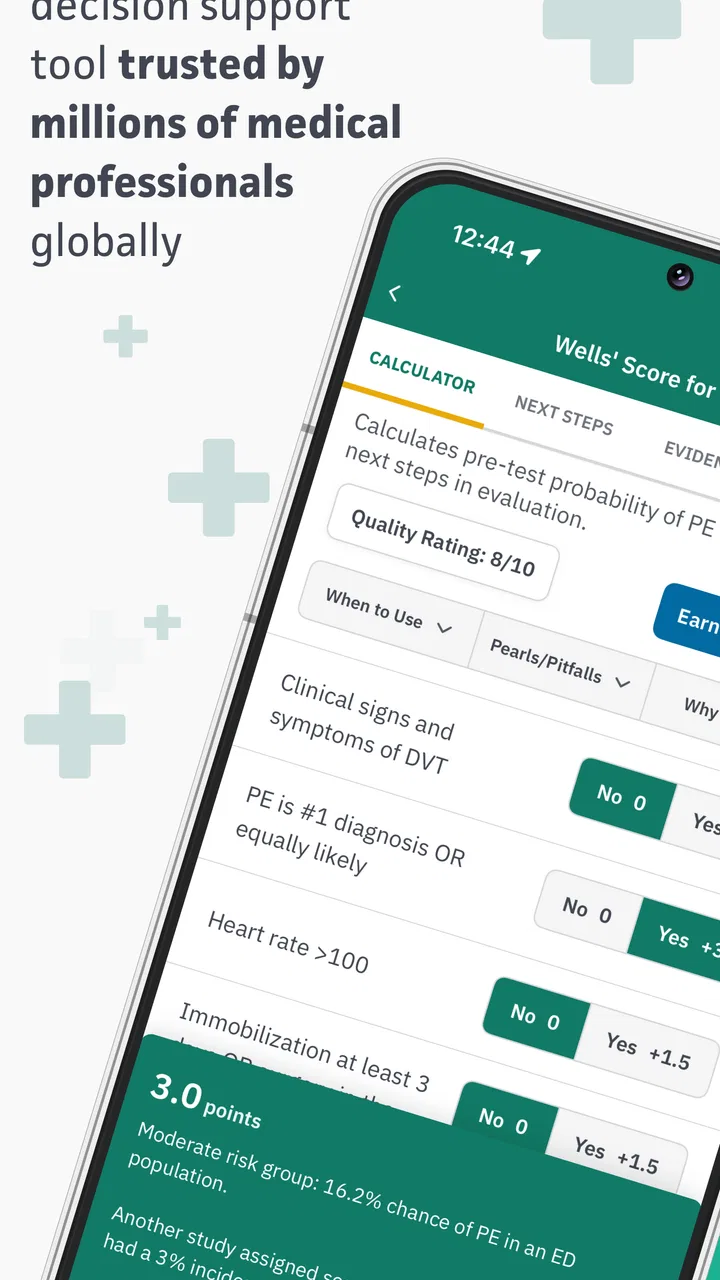
When I need a clinical calculator, I am not looking for a flashy medical app. I want something quick enough for a busy moment, clear enough to reduce avoidable mistakes, and broad enough to support more than one type of patient assessment. That is the role MDCalc Medical Calculator tries to fill. It is a free medical app from MD Aware, LLC, built around evidence-based calculators and clinical decision support rather than general wellness tracking or symptom-chat features.
My overall impression is that it works best as a point-of-care reference for healthcare professionals, students, and medically trained users who already understand the clinical context behind a result. It can help organize a calculation and make a familiar tool easier to reach, but it does not replace examination, history-taking, professional judgment, or local protocols. That distinction matters more here than it would with an ordinary productivity app.
The app has earned a 4.9 average from around 19 thousand ratings, with more than a million installs, which gives a useful sense of its reach. It is free, rated for Everyone, and the current version is 5.4.9. It runs on Android 6.0 or later. Those details make it easy to try, but the real question is not whether it is accessible. The real question is whether its calculator-first approach fits the way you make decisions.
You May Also Like

 AccuWeather: Weather Radar
AccuWeather Review: A Quick, Clear Forecast for Everyday Decisions
For everyday plans, the best forecast is the one you can understand quickly. AccuWeather makes rain timing, radar, and local conditions easy to act on, with a few trade-offs.

 Hill Climb Racing
Why Hill Climb Racing Still Turns Crashes Into One More Run
A tiny car, a bumpy hill and one more upgrade: Hill Climb Racing keeps resurfacing because its simple chaos makes every near-miss feel personal.

 AliExpress - Shopping App
AliExpress Makes Global Shopping Feel Personal, but Shoppers Bear the Risk
AliExpress turns a global marketplace into a pocket-sized discovery engine. Its reach is useful, its shopping loop compelling, and its trade-offs easy to miss.

 Lords Mobile: Kingdom Wars
Lords Mobile Is a Kingdom-Building Routine, Not a Quick Match
A case-by-case verdict on the building, battles, device demands, and social commitments that make Lords Mobile rewarding for some players and exhausting for others.

 PDF Scanner app - TapScanner
TapScanner Makes Paperwork Easier to Capture, Check, and Share
TapScanner makes scanning with a phone feel less like a rescue operation and more like a dependable step in getting work done. Its capture tools are useful, though not flawless.

 Block Blast!
 Shows How Much a Puzzle Game Can Leave Out
A quiet grid game shows why puzzle players increasingly value instant clarity, repeatable skill and low-pressure play—and where the genre still needs to catch up.
More From Our News Desk
View All News


What I look for before trusting a medical calculator
My first decision criterion is speed without careless simplicity. A calculator that takes too long to find is not helpful in a consultation, ward round, classroom exercise, or exam revision session. At the same time, a result shown without its clinical meaning can create false confidence. I therefore pay attention to how easily I can identify the right tool, enter the relevant values, understand the output, and decide what to do with it.
The second criterion is scope. A single calculator can be useful, but a collection becomes more valuable when different clinical questions can be handled in one place. A patient may require risk estimation, a dosing-related calculation, a score, or an interpretation based on several measurements. Moving between unrelated websites or scattered notes adds friction. MDCalc is designed around that broader workflow, so it makes more sense for people who regularly encounter varied clinical calculations than for someone who needs one isolated formula.
I also consider how much background knowledge the user needs. Medical calculators are not ordinary unit converters. The same input can mean different things depending on the patient population, the timing of the measurement, the treatment already given, and the purpose of the calculation. A good app can make arithmetic easier, but the user still has to choose an appropriate tool and recognize when the result does not fit the patient in front of them.
Finally, I look at whether an app supports learning as well as immediate use. Students often need to understand why a score exists, what its components represent, and how the result is interpreted. Clinicians may need a fast reminder of a calculation they do not use every day. Those are different needs, and the best experience depends on whether the app gives enough context without slowing down a simple calculation.
The practical workflow I found most useful
I would use this app in a three-step routine. First, I would search for the clinical question rather than blindly choosing the first familiar acronym. Second, I would check that the selected calculator matches the patient and the situation. Third, I would review the result alongside the rest of the assessment instead of treating the number as a diagnosis or automatic treatment instruction.
That workflow sounds obvious, but it is one of the most important habits with any clinical decision-support tool. The convenience of a calculator can encourage users to skip the selection step. In my view, the app is strongest when it shortens the mechanical part of the job while leaving the reasoning visible and deliberate.
A realistic example would be a student preparing for a case discussion after collecting several patient measurements. Instead of searching the web for each formula separately, the student can use the app as a central reference, compare the inputs required by different tools, and then explain why one result is relevant to the case. In a clinical setting, a practitioner might use it as a quick cross-check during a consultation, then confirm that the result agrees with the patient’s presentation and the applicable guidance.
Where MDCalc wins over scattered tools
The biggest strength is concentration. Rather than keeping bookmarks for many medical calculator pages or relying on memory for every score, I can approach a broad set of clinical calculations through one medical-focused app. That does not make every result automatically correct for every situation, but it does reduce the practical barrier to finding a recognized tool when I need one.
This is especially useful for people who rotate between specialties, study several areas of medicine, or work in environments where the clinical question changes throughout the day. A narrow calculator app may be excellent for one specialty and irrelevant outside it. A general search engine may return too much noise. MDCalc occupies a useful middle ground: it is more focused than web search and broader than a single-purpose calculator.
Another advantage is the way a dedicated medical calculator changes the habit of working. When the app becomes part of a repeatable process, I am less likely to reconstruct a formula from memory or copy an unexplained number from an old note. The benefit is not just saving keystrokes. It is making the calculation easier to revisit, explain, and question.
The app is most valuable as a reasoning aid, not as an authority that makes the decision for you. That is the distinction I would emphasize to anyone considering it. It can help structure a clinical question, but it cannot tell whether the input was measured correctly, whether the patient falls within the intended population, or whether a score should influence care in a particular setting.
Useful habits that are easy to overlook
One non-obvious use is retrospective checking. After a case discussion or clinical encounter, I can revisit the calculation and ask whether the selected tool was actually the best fit. This is more productive than simply looking at the final number. It turns the app into a learning aid: the important lesson may be that a different calculation required different inputs or addressed a different risk question.
A second useful habit is to write down the inputs and the clinical purpose alongside the result when documentation is appropriate. A bare score can be difficult to interpret later, especially if values change or if another professional needs to understand how it was obtained. The app can perform the calculation, but the surrounding explanation still belongs in the user’s notes or clinical workflow.
A third insight is that speed should be measured by the whole process, not just by tapping numbers. If I am uncertain which calculator to use, rushing through data entry does not save time. I get better results by identifying the decision I am trying to support first, then selecting the calculation that matches it. This makes the app more useful for education and safer for real-world reference.
For students, I would also recommend using it after attempting the calculation manually. Entering values immediately can hide whether the underlying formula or interpretation is understood. Working through the problem first and using the app as a check gives the tool educational value without turning it into a shortcut that weakens clinical reasoning.
Who will appreciate the design most?
Medical students are a natural audience because the app can serve as a compact companion during revision and case-based learning. It is also suited to residents, nurses, physicians, pharmacists, and other professionals who encounter clinical scores or formulas often enough to need quick access but not often enough to memorize every detail.
It may also help educators who want to demonstrate how a calculation changes when one input changes. That kind of comparison is difficult with a static formula written on paper, while an interactive calculator makes the relationship between inputs and output easier to explore. The app is not a full teaching platform, but it can support a lesson or discussion when used alongside proper explanation.
Patients and general users should be more cautious. The Everyone age rating describes accessibility, not clinical suitability. Someone without medical training may be able to operate the calculator but still misunderstand what the output means. If you are looking for a symptom checker, medication reminder, personal health diary, or direct connection to a clinician, this is probably not the right category of app for you.
Where another type of tool may fit better
MDCalc is not automatically the best choice for every medical workflow. If your main need is medication management, a trusted drug reference may be more appropriate because it focuses on medicines, interactions, contraindications, and prescribing context. If you need to record blood pressure, glucose, symptoms, or appointments over time, a health-tracking app will usually offer a better structure than a calculator collection.
A hospital’s internal clinical system may also be preferable during official care. Local systems can connect calculations with patient records, institutional protocols, documentation, and review processes. A standalone app is convenient, but it normally sits outside that chain. I would treat it as a reference aid rather than assuming it is the approved source for a particular workplace.
Web-based medical references can be better when I need a long explanation, a primary source, or a detailed discussion of limitations. A calculator app is optimized for access and interaction; a full reference article may be better for resolving uncertainty. In practice, I see these tools as complementary rather than mutually exclusive. I might use the app to obtain a structured result and a more detailed reference to investigate whether that result applies to an unusual case.
There is also a trade-off between breadth and focus. A broad collection can save me from installing several narrow apps, but it can require more attention when choosing the correct calculator. Someone who repeatedly performs one specialized calculation may prefer a dedicated tool with a simpler path. The best option depends on whether variety or repetition defines the user’s work.
Users who want a polished consumer experience may find the medical focus less welcoming than a wellness app. That is not a flaw in itself, but it affects the audience. The app makes sense when the user already has a clinical question. It is less suitable when the user wants the app to explain symptoms in plain language or guide them through a personal health plan.
Important limitations before relying on it
The main limitation is not a missing convenience feature; it is the risk of overinterpreting a precise-looking answer. A calculator can return a clean result even when the inputs are uncertain, outdated, estimated, or outside the intended context. I would never use the presence of a numerical output as proof that the underlying clinical decision is settled.
There is also a human-factors issue. In a busy environment, users can select a familiar calculator because its name looks right, not because it answers the exact question. This is why I recommend reading the tool’s purpose and input requirements rather than relying on memory. The app can reduce arithmetic errors while still leaving room for selection errors.
Another limitation is that a standalone reference cannot know the full patient story unless the user supplies and interprets it. It does not replace communication with a senior clinician, consultation of local guidance, or a careful review of the patient’s history. For a novice, the app may create the impression of independence before the user has developed the judgment needed to use it safely.
Privacy and workflow should also be considered in practical terms. I would avoid entering identifiable patient information into any general-purpose reference tool unless the relevant policies and permissions clearly allow it. For learning or quick calculation, de-identified values are the sensible approach. This is less about the app’s medical usefulness and more about using any standalone digital tool responsibly.
What switching to it actually costs
Because the app is free, the financial barrier is low. The real cost of switching is learning a new search-and-check routine and deciding where it belongs in your existing workflow. If you already use a hospital system, a specialty reference, or a trusted website, you may not want to replace everything. It is more practical to test whether MDCalc fills a gap: quick access to varied calculations, revision support, or a backup when your usual reference is inconvenient.
There is also a small mental cost in maintaining two sources. If you use the app alongside institutional guidance, you need a clear rule about which source takes priority. My rule would be simple: use the app to calculate or orient yourself, then follow the applicable local policy and professional guidance when they differ in scope or recommendation.
For a student, switching is relatively easy because the app can become part of study sessions without disrupting patient records or formal documentation. For a working clinician, adoption is more worthwhile when the app solves a repeated problem, such as moving between many types of scores during training or covering unfamiliar clinical areas. If you only need one formula once a year, installing a broad calculator collection may not change much.
The minimum operating-system requirement is Android 6.0, so users on very old Android devices should check compatibility before planning around it. For supported devices, the free price and Everyone rating make experimentation straightforward. I would still judge it by whether it improves a real task, not simply by how many tools it places within reach.
My recommendation for different kinds of users
I recommend MDCalc to medically trained users and students who want a broad, accessible collection of clinical calculators in one place. It is particularly appealing if you regularly move between cases, subjects, or specialties and do not want to depend on remembered formulas or a long list of web bookmarks. The combination of free access, a strong average rating, and more than a million installs suggests that it has become a familiar option for many people in this space.
I would recommend it with a clear condition: use it to support judgment, not to outsource judgment. Before accepting a result, confirm that the calculator matches the patient, the timing, the population, and the clinical question. If the result seems surprising, investigate it rather than assuming the patient is an exception or the app is wrong.
I would not make it my first recommendation for a patient seeking personal medical advice, a person who wants symptom triage, or someone who needs medication reminders and longitudinal health records. Those users need a different kind of product and, in many situations, direct professional care. The app’s value appears when the user already understands why a clinical calculation is being performed.
After using it as a decision-support reference, I see its strongest quality as practical discipline. It encourages me to name the clinical question, gather the relevant inputs, calculate consistently, and then return to the broader patient picture. That is more useful than a simple formula sheet, but only when I keep the boundaries in mind.
For my own recommendation, the choice is straightforward: if you are a healthcare learner or professional looking for a free medical calculator companion, install it and build a careful workflow around it. If you need a complete medical reference, a personal health manager, or an official clinical record system, keep looking or use it only alongside the tool designed for that purpose. Used in the right role, MDCalc Medical Calculator is a practical shortcut through the arithmetic while leaving the important clinical thinking where it belongs—with the user.
FAQs for MDCalc Medical Calculator
01What is MDCalc Medical Calculator used for?
MDCalc is a clinical decision-support app designed to help healthcare professionals quickly access medical calculators, scoring systems, risk assessment tools, and clinical criteria. It covers many specialties, including emergency medicine, cardiology, internal medicine, pediatrics, and surgery. The app can support calculations at the point of care, but it should be used alongside clinical judgment, patient information, and current professional guidelines rather than as a replacement for medical training or diagnosis.
02Is MDCalc Medical Calculator suitable for patients or only healthcare professionals?
Although patients may be able to open and read some of the calculators and explanations, MDCalc is primarily intended for physicians, nurses, pharmacists, students, and other healthcare professionals. Many tools require clinical terminology, laboratory values, examination findings, or diagnostic information that should be interpreted by a qualified professional. Patients should avoid using a score to self-diagnose, change medication, or make treatment decisions without discussing the results with their doctor.
03Does MDCalc provide reliable and medically reviewed information?
MDCalc presents calculators based on published clinical studies, guidelines, and established medical scoring systems, and many entries include references, methodology, interpretation, and supporting evidence. However, the quality and applicability of a result still depend on entering accurate data and understanding the original research. Medical evidence can change, so users should review the cited sources and local guidelines, especially when making important clinical decisions.
04Does MDCalc Medical Calculator require an internet connection or account?
Some MDCalc features and calculator content may be available after downloading the app, while other functions can depend on internet access, application updates, or account settings. Creating an account may provide benefits such as saving favorites, synchronizing preferences, or accessing personalized features, depending on the current version. Before relying on it in a clinical environment, users should test which calculators remain accessible offline and keep the app updated.
05Is MDCalc free to download, and are there premium features?
MDCalc can generally be downloaded without an upfront charge, allowing users to access a broad collection of medical calculators and educational information. However, availability of premium tools, advanced content, advertisements, account features, or subscription options may vary by platform and region. Before downloading, check the Google Play Store or Apple App Store listing for current pricing, in-app purchases, privacy details, and the exact features included in the free version.
Pros
- Covers hundreds of validated clinical calculators across many specialties.
- Shows calculation formulas
- references
- and supporting evidence for transparency.
- Fast search and favorites make frequently used tools easy to access.
- Works well for quick bedside checks without needing complex setup.
- Available on both Android and iOS for convenient cross-platform access.
Cons
- Some calculators require a paid subscription or premium access.
- Medical content may be difficult for students without clinical background.
- Results depend entirely on accurate patient data and unit selection.
- The large catalog can make unfamiliar tools harder to discover.
- Should support clinical judgment
- not replace guidelines or professional consultation.

MDCalc Medical Calculator
Gallery